"There is no single "best" omnichannel tool for Shopify Plus. There is a best tool for what you are actually trying to fix: inventory, order routing, in-store POS, back-office accounting, or marketplace listings. Here is a plain, vendor-neutral walkthrough of the real options, named honestly, with their tradeoffs."
Key Takeaways
- 1There is no one "best" omnichannel solution for Shopify Plus. The right tool depends on which specific problem you are solving: unified inventory, order routing, in-store POS, back-office accounting, or marketplace listings.
- 2Shopify POS Pro is the simplest starting point if you only need to connect one online store with physical retail locations. It is built into Shopify Plus and needs no separate integration.
- 3Once you are syncing inventory and orders across three or more channels, a dedicated order management system (OMS) like Fluent Commerce or HotWax Commerce usually does the job more reliably than stretching Shopify’s native tools.
- 4Full ERP platforms like NetSuite or Brightpearl solve a different problem: unifying accounting and finance alongside inventory, not just syncing stock counts. Do not reach for one of these unless you actually need the accounting layer too.
- 5Feedonomics, Extensiv, and Linnworks each solve one specific piece (product feeds, warehouse fulfillment, and marketplace order sync) and are often used together rather than as competitors.
- 6commercetools is not an add-on for Shopify Plus. Choosing it means leaving Shopify Plus for a fully composable, headless commerce platform, which is a much bigger decision than adding a plugin.
The Short Answer
There is no single best omnichannel solution for Shopify Plus, because "omnichannel" is really five separate problems: unified inventory, order routing, in-store POS tied to online stock, back-office accounting, and marketplace listings. Shopify POS Pro is the simplest starting point for a website plus a few physical stores. Once you are syncing three or more channels, a dedicated order management system like Fluent Commerce or HotWax Commerce usually fits better. Full ERPs like NetSuite or Brightpearl solve a different problem, unifying accounting with inventory, and are only worth the added weight if you need that accounting layer too. Feedonomics, Extensiv, and Linnworks each solve one specific piece of the puzzle and are commonly used alongside each other rather than as competing choices.
Omnichannel vs. Multichannel, in One Sentence
Multichannel means you sell in more than one place, a Shopify Plus website and a couple of physical stores, say, but each channel keeps its own separate inventory count and order history. Omnichannel means those channels share one live view of stock, orders, and customer history, so a sale in your store instantly updates what your website shows as available. We cover that conceptual difference in more depth in our guide on omnichannel vs. multichannel commerce. This article is not about that distinction. It is about which actual software gets a Shopify Plus store from the fragmented, multichannel state to a genuinely unified one.
That matters because "what’s the best omnichannel tool" is really shorthand for several different, more specific questions. Answering it well means being honest that the tools solving each piece are not interchangeable.
What a Shopify Plus Merchant Actually Needs to Solve
Before naming any tool, it helps to separate omnichannel into the specific jobs it is usually made of. Most Shopify Plus merchants are dealing with some combination of these five:
- 1.Unified inventory across channels, so stock counts on your website, in stores, and on marketplaces all reflect the same real number.
- 2.Order routing (the OMS problem), deciding automatically which warehouse or store fulfills each order.
- 3.In-store POS tied to online stock, so a store sale and a web sale draw from the same inventory pool in real time.
- 4.ERP or back-office sync, unifying accounting, purchasing, and finance alongside inventory, not just stock counts.
- 5.Marketplace and feed management, keeping product listings, pricing, and availability accurate across every external channel you sell on.
The rest of this guide walks through each one and names the real tools that solve it, including where they honestly overlap.
Unified Inventory and In-Store POS: Start With Shopify POS Pro
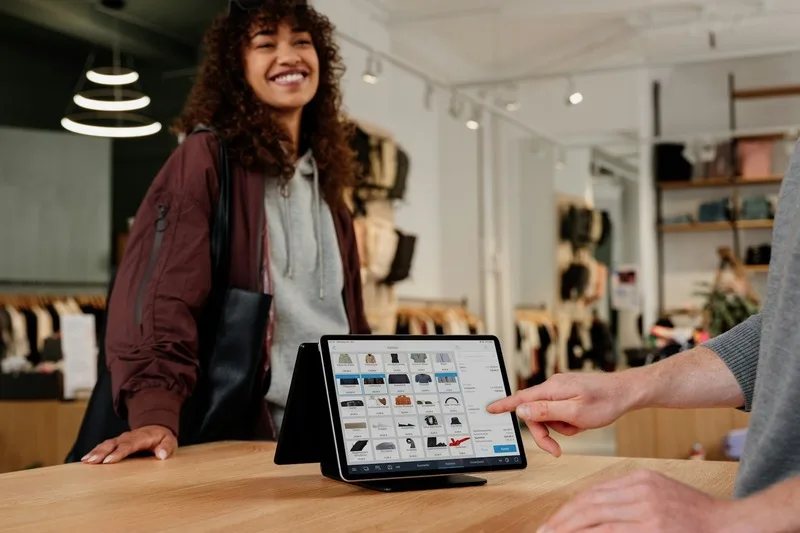
For a Shopify Plus store with an online presence and one or more physical locations, Shopify POS Pro is the most direct starting point, and for many merchants it is genuinely enough on its own. According to Shopify’s own help documentation, both the free POS Lite and the paid POS Pro tier include multi-location inventory, orders, and customer management out of the box. POS Pro adds smart inventory tracking and adjustments, receiving stock transfers between locations, pickup in store, ship-and-carry-out fulfillment, and local delivery, along with stronger staff permission controls for retailers running more than a couple of locations.
The advantage is that it needs no separate integration. It is built directly into Shopify Plus, so there is no second vendor relationship, no API to maintain, and no risk of the connection breaking when either system updates. The limitation shows up once you are also selling on external marketplaces, running many warehouses with complex routing needs, or managing volume high enough that Shopify’s built-in logic cannot keep up. That is the point where a dedicated OMS starts to earn its added complexity.
Order Routing: When You Need a Dedicated OMS
An OMS, short for order management system, decides where each order should be fulfilled from and keeps inventory accurate across every location in something close to real time. Shopify’s own description of omnichannel order management explains the routing logic well: check the closest or fastest location first, and if it does not have the item in stock, fall back to the next one, splitting the shipment if needed. Once you are managing that kind of decision across three or more channels, either Fluent Commerce or HotWax Commerce is usually worth evaluating.
HotWax Commerce was built specifically to work inside Shopify and Shopify POS, based on our review of its own product pages. It handles buy-online-pickup-in-store, including mixed carts that combine pickup and shipped items in one order, ship-from-store routing based on real stock and delivery distance, unified inventory across every location to prevent overselling, and pre-orders that calculate sellable inventory from stock that has not arrived yet. If your entire operation lives inside Shopify Plus and Shopify POS, HotWax is the closest thing to a purpose-built fit.
Fluent Commerce takes a more platform-agnostic approach, built to orchestrate orders across whatever mix of systems a retailer already runs, based on our review of its own site. It positions itself as connecting to existing infrastructure as what it calls a universal adapter, and it explicitly supports B2C, B2B, and B2B2C order flows, which matters if a Shopify Plus B2B storefront has more complex fulfillment rules than a standard consumer store. It generally fits larger or fast-growing retailers with a more varied channel mix than a Shopify-only setup.
ERP and Back-Office Sync: A Different Problem Than Inventory Alone
Inventory and order routing are only part of running an omnichannel business. Once accounting, purchasing, and financial reporting need to be unified alongside inventory, that is an ERP problem, not just an OMS problem, and the two most relevant options for Shopify Plus retailers are Brightpearl and NetSuite.
Brightpearl, now sold as Brightpearl by Sage, combines inventory, order management, warehouse operations, shipping, and accounting in one retail-focused platform, based on our review of its own site. It is a certified Shopify partner and a founding member of Shopify’s global ERP program, which makes it a natural next step for a retailer that has outgrown pure inventory tools but does not need the scale of a full enterprise ERP.
NetSuite is a heavier, broader cloud ERP that unifies finance, inventory, order management, POS, and CRM in a single system, based on our review of its own product pages, with a single real-time inventory view across warehouses, stores, pop-ups, and third-party logistics providers. It fits larger or more structurally complex retailers, for example those with multiple legal entities, more complex tax handling, or the need for one system that finance, warehouse, and retail teams all rely on. If your only real pain point is inventory and order sync, NetSuite is generally more system than the problem requires.
Side-by-Side Comparison
| Tool | Best For | Shopify Plus Fit Notes |
|---|---|---|
| Shopify POS Pro | Website plus a few physical stores, no complex routing needed | Native to Shopify Plus, no separate integration |
| HotWax Commerce | Shopify-only operations needing advanced BOPIS, ship-from-store, or pre-orders | Built specifically to embed inside Shopify and Shopify POS |
| Fluent Commerce | Larger or varied channel mix, including B2B and B2B2C flows | Platform-agnostic; connects to Shopify Plus like any other system |
| Brightpearl (by Sage) | Retail operations plus accounting, without full enterprise ERP scale | Certified Shopify partner, retail-focused implementation |
| NetSuite | Complex, multi-entity, or high-volume finance alongside inventory | Connects via integration; bigger implementation commitment |
| Feedonomics | Keeping listings and pricing consistent across many marketplaces and ad channels | Sits on top of your Shopify Plus catalog, feeds data outward |
| Extensiv | Warehouse management for 3PLs, or brands running their own warehouses | Relevant when fulfillment operations, not just sales channels, are the bottleneck |
| Linnworks | Heavy marketplace selling across 100+ channels | Alternative to HotWax or Fluent for marketplace-first sellers |
| commercetools | Enterprise needing a fully composable, headless commerce platform | Not an add-on; replaces Shopify Plus as the commerce engine |
| Klaviyo | Unified messaging and customer data across email, SMS, and more | Marketing layer, does not manage inventory or orders |
| Gorgias | One support inbox with order context across every channel | Customer service layer, native Shopify order lookup |
Marketplace Listings and Fulfillment: Feedonomics, Extensiv, and Linnworks
Inventory sync and order routing are not the only pieces of omnichannel that break down at scale. Keeping your product listings accurate everywhere, and actually getting orders out the door, are separate problems with their own dedicated tools.
Feedonomics does not manage inventory or orders at all. It is a product feed management platform that takes your catalog data and distributes optimized, accurate listings out to marketplaces, ad channels, and other discovery surfaces, based on our review of its own site. If your channel mix is limited to your own Shopify storefront and stores you operate, you likely do not need it yet. Once you are listing on several external marketplaces, keeping titles, prices, and stock status consistent by hand becomes a real bottleneck, and that is exactly the gap Feedonomics fills.
Extensiv is warehouse management software built primarily for third-party logistics providers, or 3PLs, based on our review of its own product pages. It is directly relevant if you operate your own warehouse, and indirectly relevant if the 3PL fulfilling your orders happens to run on it. If you fully outsource fulfillment and never touch warehouse operations yourself, it is not a tool you need to evaluate directly.
Linnworks connects inventory, orders, and shipping across more than 100 marketplaces and channels, including Amazon, eBay, Walmart, Shopify, and TikTok Shop, based on our review of its own site. It leans toward sellers spread heavily across marketplaces rather than a website-plus-stores setup, and it is generally aimed at growing small and mid-sized sellers. For a Shopify Plus merchant selling primarily on their own site and a couple of marketplaces, Linnworks and HotWax or Fluent Commerce solve overlapping ground, and the better fit usually comes down to how marketplace-heavy your channel mix actually is.
None of the tools in this guide are ours to sell, and that is deliberate. If you want a second opinion on which of these actually fits your specific channel mix, we look at real Shopify Plus stacks as part of our Shopify Plus development work, and we will tell you honestly when your setup does not need a new tool at all.
Messaging and Support: Where Klaviyo and Gorgias Actually Fit
Omnichannel is not only about inventory and orders. A customer also expects consistent messaging and support no matter how they reach out, and two tools come up often in that conversation, even though neither manages stock or fulfillment.
Klaviyo unifies customer data across email, SMS, and other messaging channels into one profile, based on our review of its own site, and positions itself as an omnichannel marketing and customer data platform rather than a single-channel email tool. It is worth including here because it unifies the customer view, but it is a marketing layer, not an inventory or order management tool.
Gorgias is a customer support helpdesk that consolidates conversations from email, chat, SMS, and social channels into one inbox, with a native Shopify integration that lets a support agent see a customer’s order and product history without leaving the ticket, based on our review of its own site. That matters for omnichannel in a narrower but real sense: it keeps support answers consistent regardless of which channel a customer used, even though it does not touch inventory or routing.
When the Real Answer Is Leaving Shopify Plus, Not Adding a Tool
Every tool covered so far connects to Shopify Plus without replacing it. commercetools is the exception. It is a headless, API-first commerce platform built around a fully composable architecture, according to its own site, meaning a business assembles its storefront, checkout, and catalog from separate modular pieces instead of relying on one hosted platform like Shopify Plus.
This is worth naming honestly: choosing commercetools is not adding an omnichannel tool to Shopify Plus, it is replacing Shopify Plus as your commerce engine. That level of change makes sense for large enterprises that need highly specific, custom experiences across many storefront types that a hosted platform genuinely cannot flex to fit. For the large majority of Shopify Plus merchants reading a comparison like this one, a dedicated OMS or ERP solves the actual problem at a fraction of the engineering cost and risk.
A Simple Way to Decide
Work through these questions in order. They matter more than any single tool’s feature list.
1. How many channels do you actually sell on today?
One website plus a couple of stores usually means Shopify POS Pro is enough. Three or more channels, especially with external marketplaces, is where a dedicated OMS starts to earn its cost.
2. Which specific problem is actually causing pain right now?
Overselling and stockouts point to inventory and routing tools. Messy marketplace listings point to a feed tool. Slow, error-prone books point to an ERP. Do not reach for the wrong category.
3. Do you need accounting unified too, or just inventory and orders?
If your books are already handled well elsewhere, a dedicated OMS like Fluent Commerce or HotWax solves the problem without the added weight of a full ERP like NetSuite or Brightpearl.
4. Are you willing to leave Shopify Plus, or does it need to stay an add-on?
Every tool in this guide except commercetools connects to Shopify Plus without replacing it. Only consider commercetools once you have hit a specific, well-defined limit of what Shopify Plus itself can support.
Where This Leaves Most Shopify Plus Merchants
Most Shopify Plus stores do not need every tool on this list. They need one, maybe two, matched to the specific bottleneck they actually have. Start with Shopify POS Pro if your setup is simple. Add a dedicated OMS like HotWax or Fluent Commerce once you are managing real complexity across three or more channels. Bring in Feedonomics, Extensiv, or Linnworks only for the specific piece, feeds, warehouse operations, or marketplace sync, that is genuinely the source of friction. Reach for a full ERP or a platform change like commercetools only once the problem has clearly outgrown everything simpler.
We build and integrate on Shopify Plus for a living, and our own approach starts the same way: naming the actual bottleneck before recommending any specific tool, including telling a client when their current stack is already good enough and they do not need to buy anything new.
Related Reading
Not Sure Which Piece of Your Stack Is Actually Broken?
Talk it through with a developer who works inside Shopify Plus stacks daily. We will give you a straight read on whether you need a new tool at all, and if so, which one actually fits.
Frequently Asked Questions
What is the actual difference between omnichannel and multichannel commerce?
Is there one single best omnichannel tool for Shopify Plus?
Is Shopify POS Pro enough for a basic omnichannel setup?
What does Shopify POS Lite include compared to POS Pro?
What is an OMS, and do I actually need one?
What is Fluent Commerce and who is it built for?
What is HotWax Commerce and how is it different from Fluent Commerce?
What does "ship from store" actually mean, and which tools support it?
What is Brightpearl, and how is it different from a dedicated OMS?
What is NetSuite, and when does a Shopify Plus store actually need it?
Should I choose Brightpearl or NetSuite for a Shopify Plus store?
What is Feedonomics, and does it manage inventory?
What is Extensiv, and is it relevant if I do not run my own warehouse?
What is Linnworks, and how does it compare to HotWax or Fluent Commerce?
Is commercetools an alternative to Shopify Plus, or an add-on for it?
Is Klaviyo an omnichannel commerce tool?
Does Gorgias help with omnichannel commerce, or is it just a support tool?
What is the simplest omnichannel setup for a small Shopify Plus retailer with one or two stores?
At what point should a Shopify Plus merchant add a dedicated OMS on top of Shopify POS?
Can I use more than one of these tools together?
Does a headless or composable setup like commercetools actually help with omnichannel, or add complexity?
How does buy-online-pickup-in-store (BOPIS) actually work behind the scenes?
What is order routing, in plain terms?
Do I need an ERP if I already have a dedicated OMS?
How do returns work across channels in a true omnichannel setup?
Does adding an OMS or ERP mean giving up control of my Shopify Plus storefront?
What is the biggest mistake merchants make when choosing an omnichannel tool for Shopify Plus?
How long does it typically take to implement a dedicated OMS on top of Shopify Plus?
Is real-time inventory sync always necessary, or is near-real-time good enough?
Can a small business realistically use enterprise tools like Fluent Commerce or NetSuite?
What should I ask any omnichannel vendor before committing to their platform?
Does Shopify itself publish guidance on building an omnichannel strategy?
Is a marketplace feed tool like Feedonomics necessary if I only sell on Shopify and my own stores?
What is the realistic ongoing maintenance burden of running a dedicated OMS alongside Shopify Plus?
Should I evaluate these tools differently for a B2B Shopify Plus store versus B2C?
What is the honest tradeoff of staying with Shopify’s native tools instead of adding a third-party OMS?
Does FactoryJet build or sell any of these specific tools?

Bhavesh Barot
Founder & CEO
Founder & CEO of FactoryJet, which he started as a B2B ecommerce marketplace. FactoryJet has served 500+ businesses and builds online stores, B2B portals, AI agents and AI search.
Related reading
- Best Ecommerce Agencies in Australia (2026): Shopify Plus, B2B and Agentic CommerceHow to choose an ecommerce agency in Australia in 2026, from a first Shopify store to a Shopify Plus, B2B or agentic commerce build. Eight agencies whose services we checked on their own websites, Shopify Plus agencies in Melbourne and Sydney, sourced AUD market ranges, and the questions that tell a good agency from a risky one.
- Best Shopify Plus Agencies for UK Brands (2026): 15 Compared by Buyer TypeA fact-checked guide to Shopify Plus agencies for UK brands. The tier Shopify shows for each firm, where each one is based, who it suits, which platforms it works with, what it publishes about price, and how to choose. FactoryJet is on the list and says so.
- Best Shopify Plus Agencies for US Brands (2026): 14 Compared by Buyer Type, Including UsA fact-checked guide to Shopify Plus agencies for US brands in 2026, grouped by buyer: consumer brands, mid-market replatforms and B2B wholesale. Where each is based, its Shopify partner tier, the systems it names, what it publishes about price and how to choose. FactoryJet is on the list and says so.