Table of Contents
Webflow has quickly become one of the most talked-about website builders among designers, startups, and agencies.
But is it actually worth using in 2026?
In this guide, we'll break down how Webflow works, its features, pricing, and how it compares to platforms like WordPress, Wix, and Framer, so you can decide if it's the right choice for your website.
What is Webflow?
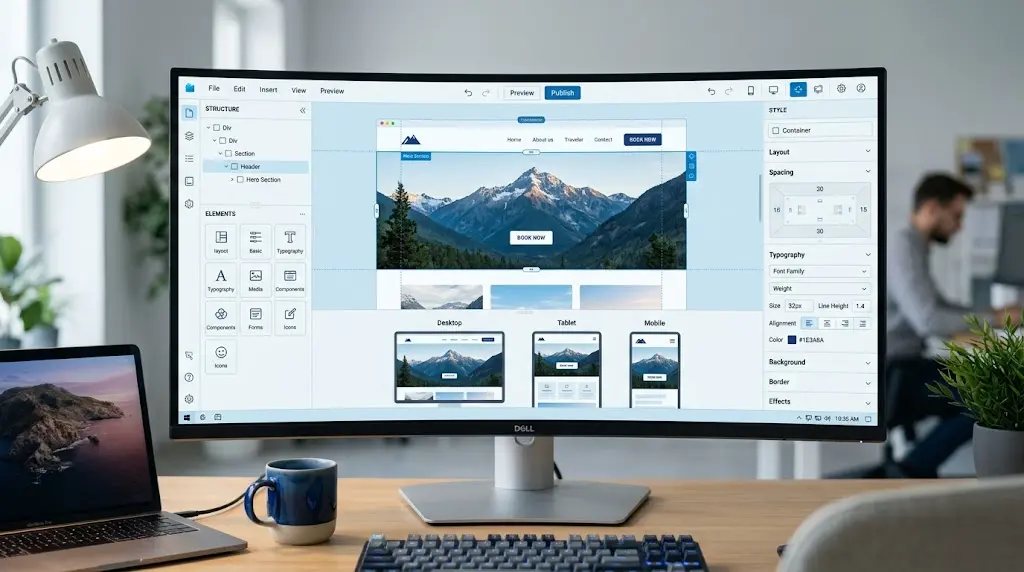
Webflow is a visual, no-code website builder that lets you design, build, and host professional websites without writing code. It combines the design freedom of a code editor with the simplicity of a drag-and-drop interface: all in one browser-based platform. Think of Webflow as the middle ground between Wix (super simple) and hand-coding a site (super complex). It gives designers real creative control, flexbox, grid, animations, custom CMS, without needing a developer for every small change.
Founded in 2013, Webflow has grown into one of the most powerful no-code website builders on the market. As of 2026, it powers over 3.5 million websites worldwide.
Key Features of Webflow
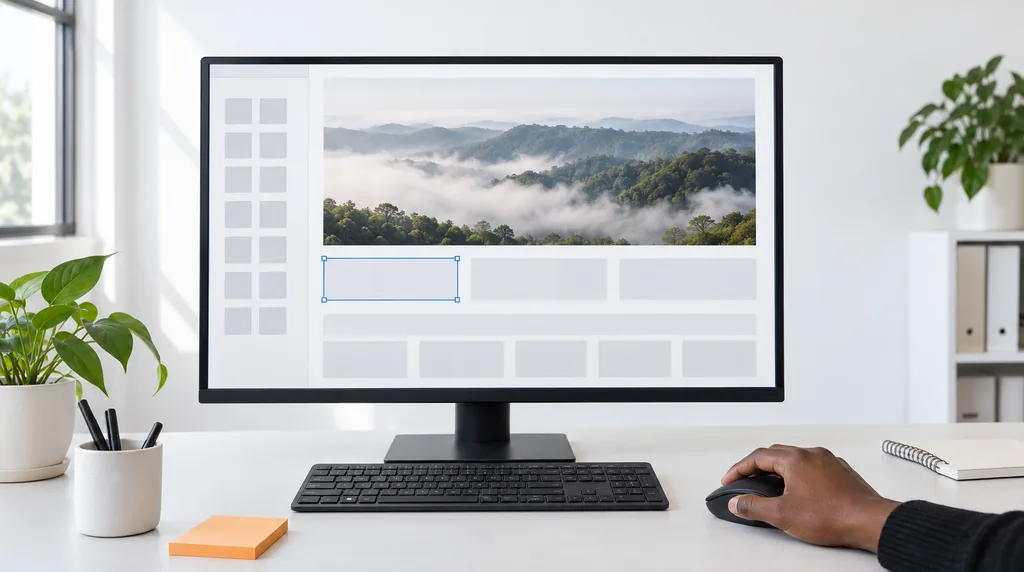
Webflow offers a visual design editor, built-in CMS, hosting, e-commerce tools, animations, SEO controls, and a logic builder: all without needing separate plugins or third-party hosting.
- Visual Designer: Build layouts using real CSS properties (Flexbox, Grid) in a point-and-click interface.
- Built-in CMS: Create custom content structures for blogs, portfolios, case studies, and more.
- Webflow Hosting: Powered by AWS and Fastly CDN. Fast, secure, and scalable out of the box.
- Interactions & Animations, Create scroll-triggered animations and hover effects with zero JavaScript.
- SEO Controls: Editable meta titles, descriptions, Open Graph tags, schema, and clean semantic HTML.
- E-commerce, Build and manage online stores with custom checkout flows.
- Webflow Logic, Automate workflows without code (think Zapier-lite built right in).
- Responsive Design: Control layout at every breakpoint: desktop, tablet, and mobile.

Webflow Development Explained
Webflow development means building websites using Webflow's visual tools. It covers everything from simple landing pages to complex CMS-driven sites, without manually writing HTML, CSS, or JavaScript.
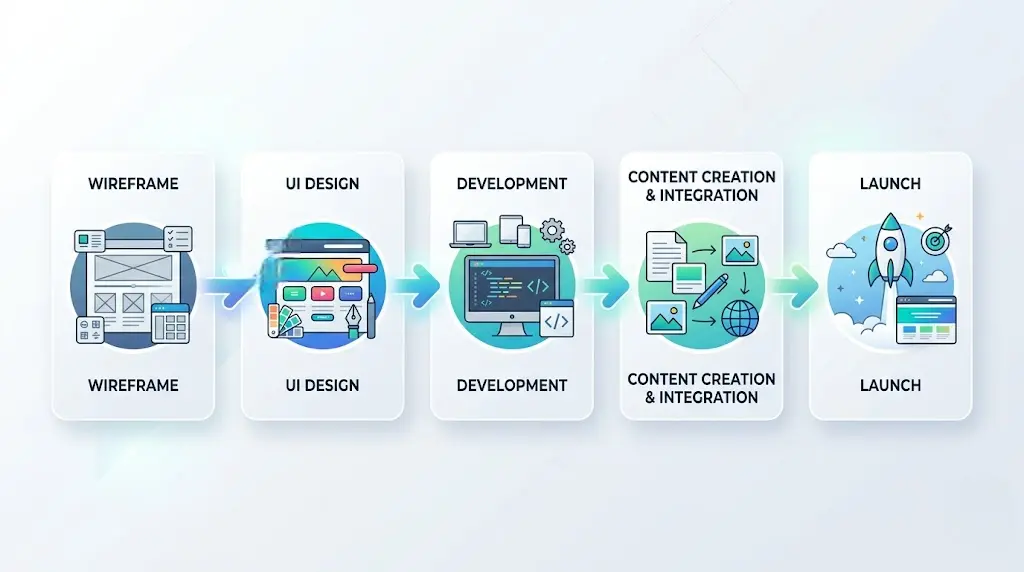
Here's how a typical Webflow development project flows:
- Discovery: Define goals, content structure, and sitemap.
- Design in Figma or Webflow, Wireframe and design the UI before building.
- Build in Webflow Designer: Translate the design into a live, responsive site.
- CMS Setup, Create collections for dynamic content like blog posts or team members.
- Connect & Launch: Add forms, integrations, SEO settings, then publish.
Use cases include agency websites, SaaS landing pages, portfolios, blogs, startup sites, and e-commerce stores.
Webflow vs WordPress
Webflow gives designers more visual control and cleaner code. WordPress has a larger plugin ecosystem and a lower starting cost. For design-heavy sites, Webflow usually wins. For content-heavy or complex functionality, WordPress still has an edge.
| Feature | Webflow | WordPress |
|---|---|---|
| Design freedom | Very high | Depends on the theme |
| Code quality | Clean, semantic | Can get messy |
| Plugins/extensions | Growing library | 60,000+ plugins |
| Hosting included | Yes | Separate cost |
| SEO capabilities | Built-in, robust | Yoast / RankMath |
| Speed | Fast (CDN) | Needs optimization |
| Learning curve | Medium | Medium–High |
| Starting price | $15/mo (Basic); CMS from $25/mo (Premium) | Free core, ~$10–30/mo hosting |
✓ Webflow Pros
- Clean HTML/CSS output
- Hosting included
- Better animation tools
- No plugin bloat
✕ Webflow Cons
- Monthly cost adds up
- Fewer third-party integrations
- Steeper learning curve for beginners
Webflow vs Framer
Framer is the new kid, and it's impressive. But how does it compare to the established Webflow?
| Feature | Webflow | Framer |
|---|---|---|
| Best for | Full websites, CMS, e-commerce | Portfolio, landing pages |
| CMS / dynamic content | Powerful CMS | Basic CMS |
| Animations | Complex interactions | Smooth, component-based |
| React components | No | Yes (native) |
| E-commerce | Yes | No |
| Pricing | $15–$25/mo site plans, billed yearly | Free tier available |
| Speed | Very fast | Very fast |
Bottom line: Choose Webflow for larger, content-driven sites. Choose Framer if you want React power and you're building simpler showcases or design portfolios. Also see our React vs WordPress comparison.
Webflow vs Wix
Wix is easy. Webflow is powerful. That's the simple version, but let's go deeper.
| Feature | Webflow | Wix |
|---|---|---|
| Ease of use | Medium | Very easy |
| Design control | Full pixel control | Limited customization |
| Code output | Clean semantic HTML | Messy, hard to export |
| SEO | Advanced | Basic |
| CMS | Custom collections | Limited |
| Price | Higher | Lower starting cost |
| Export code | Yes | No |
Who should use Wix? Beginners who just need a simple business website fast.
Who should use Webflow? Designers, agencies, and anyone who needs a professional, scalable site.
Can You Use Webflow and WordPress Together?
Yes. Some teams use Webflow for their front-end design and a headless WordPress CMS on the backend to manage content. This setup is called "headless CMS" architecture. It's powerful but requires developer expertise.
Here's how it works: WordPress acts as the content editor (the backend), while Webflow handles the visual presentation (the frontend). Using WordPress's REST API, content flows from WordPress into Webflow-built pages.
This setup is great for enterprises that already have WordPress content at scale but want a faster, more design-forward frontend. For most small businesses, though, Webflow's native CMS is more than enough.
Webflow Development Services
Webflow development services are offered by agencies and freelancers who specialize in building websites on Webflow. They handle design, development, CMS setup, SEO, and ongoing maintenance.
Hiring a Webflow development agency makes sense when you need a professional result fast, without spending months learning the platform. If you're planning a custom build, explore our Webflow-focused web design services.
What a Webflow development service typically includes:
- Custom design and layout (from scratch or Figma)
- Responsive build across all devices
- CMS setup and content migration
- SEO optimization and schema setup
- Integrations (HubSpot, Mailchimp, Zapier)
- Training and handoff documentation
- Monthly maintenance and updates
Need a Professional Webflow Website?
Get a free consultation and see how we can build a fast, SEO-ready Webflow site for your business, no cost, no pressure.
Get a Free Webflow Consultation →We help businesses build fast, SEO-friendly Webflow websites focused on real results, not just design.

Webflow Pricing vs Hiring a Webflow Expert (2026)
Webflow site plans start at $15/month for Basic (no CMS) and from $25/month for Premium, which adds the CMS with up to 20,000 items. Both prices are billed yearly; billed monthly they are $25 and $39. Larger teams move to the Team plan at $2,500/month on an annual contract, and ecommerce plans run $29, $74 and $212/month billed yearly (Webflow pricing, checked 26 Sep 2026). Building a high-performing website still requires design, SEO, and development expertise.
At first glance, Webflow seems affordable. You can launch a site for a low monthly cost. But most businesses quickly realize that building a professional, high-converting website takes time, skill, and experience.
While Webflow handles hosting and infrastructure, you still need to:
- Design a conversion-focused layout
- Structure content for SEO
- Set up CMS collections properly
- Optimize performance and speed
- Implement tracking and integrations
This is why many companies choose to work with Webflow experts instead of doing it themselves.
In short, Webflow pricing is affordable, but the real investment is in building a site that actually performs. If you would rather have a team build and support it, see our Webflow development services.
Real-World Example: SaaS Company Switches to Webflow
A mid-size SaaS company was running its marketing site on WordPress with a premium theme. It took their team 3+ days to make design changes, and pages loaded in over 4 seconds.
After migrating to Webflow:
- Page load time dropped from 4.2s to 1.1s
- The marketing team can now update the site without involving developers
- Organic traffic increased 38% in 6 months after SEO improvements
- Bounce rate dropped by 22%
This is a common pattern. When teams move from bloated WordPress installs to clean Webflow builds, the performance and workflow improvements are immediate.
Common Mistakes to Avoid in Webflow
- Skipping mobile design, Always design for mobile breakpoints from the start, not as an afterthought.
- Ignoring CMS structure, Plan your content collections carefully before building. Restructuring later is painful.
- Overusing interactions: A little animation goes a long way. Too much slows the site and frustrates users.
- Not using classes, Webflow's class system is powerful. Use combo classes and base styles to keep your design consistent and editable.
- Forgetting alt text, Add descriptive alt text to every image for accessibility and SEO.
- Publishing without SEO setup: Fill in meta titles, descriptions, and custom slugs before going live.
Pros and Cons of Webflow
✓ Pros
- Visual design with real CSS power
- Clean, exportable code
- Hosting + CMS + design in one
- Great SEO capabilities
- Fast loading (CDN-backed)
- No plugin security issues
- Grows with your business
✕ Cons
- Learning curve for non-designers
- The monthly cost required to publish
- Fewer plugins vs WordPress
- Complex logic still needs dev help
- Not ideal for massive content sites
Final Verdict – Is Webflow Right for You?
Use Webflow if you:
- Want a beautiful, fast website without writing code
- Are you a designer who wants to build (or a developer who wants to design)
- Need a CMS with a great visual editing experience
- Want hosting, design, and SEO in one platform
- Are you building a marketing site, portfolio, or SaaS landing page
Skip Webflow if you:
- Need a very complex custom app or web platform
- Have a huge existing WordPress site and no budget to migrate
- Need advanced e-commerce with many integrations (consider Shopify)
- We are on a very tight budget and just need something basic
In 2026, Webflow is one of the best tools for building professional websites, especially for design-focused teams and agencies. It's not perfect for every use case, but for most marketing sites and content platforms, it's hard to beat.
Planning a website
Tell Us What Your Website Needs to Do
You get a fixed quote that lists every page and integration before any work starts.
Frequently Asked Questions
What is Webflow used for?
Is Webflow better than WordPress?
Is Webflow good for beginners?
What is Webflow vs Wix?
Can Webflow replace WordPress?
How much does Webflow cost?
Is Webflow good for SEO in 2026?
Can Webflow handle high-traffic websites?

Bhavesh Barot
Founder & CEO
Founder & CEO of FactoryJet, an ecommerce and AI services company that has served 500+ businesses across the US, UK, UAE, and India. Writes about ecommerce builds, AI agents, and AI search.
Related reading
- Webflow vs WordPress for US Small Businesses: The Honest 2026 ComparisonWebflow gives a US small business a visually polished site with managed hosting and zero plugin chaos, but it caps out fast on content depth and integrations. WordPress costs less long-term, scales further, and runs on the world's largest plugin ecosystem, but you own the maintenance. This 2026 guide maps each platform to the team, budget, and content rhythm you actually have.
- Best Lead Generation Websites for Small Businesses in 2026: Platform Comparison & ROI AnalysisThe best lead generation websites for small businesses in 2026 combine conversion-optimised design, integrated CRM workflows, and AI-powered chat to capture and qualify leads automatically. This guide compares 12 platforms by cost, features, and real ROI data to help you choose the right solution.
- Top 12 Web Design Agencies in London for Growing SMBs (2026 Comparison)London's web design market offers agencies from £2,000 to £50,000+ per project, but SMBs need partners who balance quality with budget reality. This comparison evaluates 12 agencies on pricing transparency, SMB focus, technical capability, and delivery speed to help you choose the right fit.